
Advanced Setup
You can modify just about anything during the setup process. This guide explains the available configuration options.
Server type
Section titled “Server type”This menu provides the ability to augment the base feature set of your server. There are a variety of distributions to choose from, some of which include additional capabilities such as modding APIs and performance tweaks.
If you want to install mods or plugins with a supported distribution, auto-mcs provides an add-on manager to import or download them directly. Open Add-on Manager under Additional Options during setup.
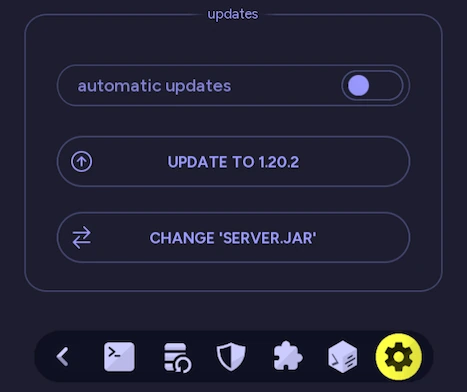
After your server is created, the distribution can be switched at any time with Change ‘server.jar’ in the server settings.
| Distribution | Description |
|---|---|
| Vanilla | Vanilla Minecraft is the stock experience that provides no additional capabilities apart from the core gameplay features. Vanilla is recommended for most users since it has optimal support for the game mechanics such as Redstone, command blocks, and datapacks. This comes at the cost of performance in some instances. Another advantage of vanilla is that it’s the most up to date as everything else is based on it. When there’s a new update it can take a week or so for other distributions to update as well |
| Paper | A high-performance, extensible, lightweight server based on Spigot. Paper provides numerous advantages over vanilla such as asynchronous chunk loading, rendering enhancements, and Redstone optimization which can be extremely useful with lower-end hardware. Like other CraftBukkit/Spigot-based servers, some of these optimizations can cause issues with stock mechanics like Redstone. In addition to these features, Paper has a suite of custom plugins and supports all Spigot and CraftBukkit plugins as well. Learn more about Paper |
| Purpur | Purpur is a fork of Paper that focuses on configurability and additional gameplay features. It inherits the performance improvements and plugin support from Paper, with a large number of extra settings for modifying everything from mob behavior to core game mechanics. Most of these changes are disabled by default, so you can keep the stock experience or customize it to your liking. Like Paper, some optimizations or configuration changes can affect vanilla behavior. Learn more about Purpur |
| Spigot | Spigot aims to provide an experience as close to vanilla as possible, with the addition of plugin support. It also implements many of the same performance improvements like asynchronous chunk loading. With this in mind, it can be more hardware intensive than Paper depending on the configuration. Learn more about Spigot |
| CraftBukkit | The original server-side plugin API for extending the capabilities of multiplayer Minecraft. CraftBukkit/Bukkit has since been forked and superseded by modern solutions such as Paper. It has been provided in auto-mcs for compatibility with legacy servers. Learn more about CraftBukkit |
| Fabric | Fabric is a modern server and client-side modding API for injecting custom assets into the game. This allows for new features and redesigns of the core gameplay. The Fabric API is automatically included with the installation of Fabric through auto-mcs. Content mods generally need to be installed on both the server and any client that connects. Learn more about Fabric |
| Quilt | Quilt is a modding platform based on Fabric with a focus on flexibility and community development. It supports most Fabric mods in addition to mods made specifically for Quilt, although compatibility isn’t guaranteed with every mod. Like Fabric, content mods generally need to be installed on both the server and any client that connects. Quilt mods also aren’t necessarily compatible with Fabric. Learn more about Quilt |
| Forge | Forge is a modding platform with years of support and a large library of additional content. Similar to Fabric, it has server-side and client-side functionality. Content mods generally require installation on both the server and connecting clients. Learn more about Forge |
| NeoForge | NeoForge is a modern fork of Forge that provides an alternative modding API for extending Minecraft with custom content and gameplay features. It has its own library of mods and supports many newer versions of Minecraft. Although both platforms share their origins, Forge and NeoForge mods aren’t necessarily interchangeable, so make sure you’re using the correct loader and game version for the mods you want to install. Learn more about NeoForge |
Server version
Section titled “Server version”The Minecraft version you choose determines the core gameplay mechanics and features. It’s recommended to use the latest version (configured by default) for security purposes unless there’s a reason not to:
- Trying unreleased betas (snapshots)
- Utilizing legacy Redstone/command block projects
- Mods that require an older version
Barring this recommendation, auto-mcs supports Minecraft releases from early Alpha versions through modern releases, although individual distributions may not support every version. Learn more about the different versions here.
Generally, all clients that connect are required to use the same game version that your server is running.
World select
Section titled “World select”The level/world is a folder that contains the block and player data of your server. There are a couple options for selecting a world:
Create a new world
Section titled “Create a new world”By default, this option will generate a new world from scratch when the server is started. A custom seed and level type can be specified.
Import a world
Section titled “Import a world”To import a world that you’ve previously made or have downloaded, click the Create New World label or Browse….
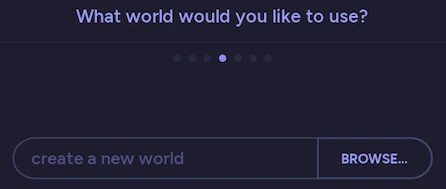
Type in a world name or browse to the root folder of your save. The world will be checked for compatibility and, if successful, its name will replace the text in the import world input.
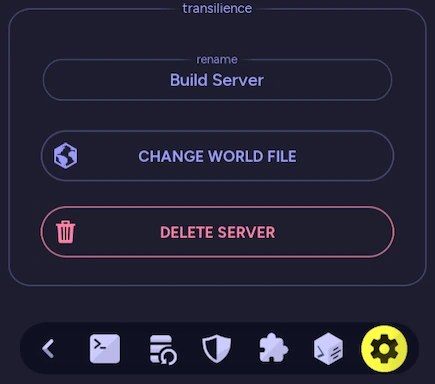
After your server is created, the world file can be re-generated or replaced at any time by clicking Change World File in Settings.
Networking
Section titled “Networking”| LAN IP / Port | Configure the server’s local IP binding and port; see LAN configuration |
| WAN / Port forwarding | Make a server accessible outside your network; see WAN/internet configuration |
| playit.gg | Configure a tunnel without router port forwarding; see playit.gg |
| Additional services | Configure ports for Geyser, voice chat, and other add-ons; see Add-ons |
| Troubleshooting | Diagnose network and connection issues; see Network Troubleshooting |
Access control
Section titled “Access control”Access control in auto-mcs encompasses the management of operators, bans, and the whitelist all in one page. For the purposes of initial setup, it’s recommended to grant your own username operator permissions, and configure a whitelist if it’s a private server. For a more detailed overview of access control, visit the Access Control guide.
Additional
Section titled “Additional”The additional options screen provides extra configuration depending on the type of server that you’re making. Some of the options listed below may not be available:
| Option | Description |
|---|---|
| Add-on Manager | Menu to download or import mods & plugins if supported |
| Access Control | Modify player permissions like operator status, whitelist, or bans |
| Gamemode | Determines if the world will be survival, creative, or adventure |
| Difficulty | Modifies how hard the gameplay will be. Scales damage and other game mechanics like hunger. Hardcore is included as a difficulty as well |
| Bedrock support (Geyser) | Allows Bedrock clients (mobile, console, etc.) to connect to your server. Checking this box automates the installation of Geyser, Floodgate, and ViaVersion if supported. Learn more about Geyser |
| Disable chat reporting | For post-1.19 servers running Spigot, Forge, Paper, or Fabric, this option installs an add-on to modify chat signing and reporting behavior. Learn more about server-side chat signing |
| Enable PVP | Enable Player-Vs-Player. When disabled, players are unable to damage each other |
| Keep inventory | Prevents players from losing their inventory on death |
| Enable spawn protection | Prevents non-operators from modifying blocks in the spawn chunks |
| Daylight & weather cycle | Depending on the version, this only changes the daylight cycle. In modern versions, you can easily disable both weather and the daylight cycle for creative mode if desired |
| Spawn creatures | Enables both hostile and passive mob spawning |
| Enable command blocks | Allows command blocks to be used in the world |
| Random tick speed | Modifies the speed of fire spread, crop growth, and other random events. Set to 0 to disable random block ticks, or higher to increase the chance of random events. Values over 100 can be very resource intensive; use with caution |
| Max players | Changes the maximum player capacity |